A new version of gPodder, the podcast manager, has been released, and with it (as always) come some new features for the Harmattan (N950 and N9) version. The most visible on (apart from bugfixes) is the new multi-episode selection sheet, which allows users to select multiple episodes at once to either download, playback or delete. Options for "Select all", "Select downloaded", "Select none" and "Invert selection" are provided by the longpress context menu in that list and will modify the selection accordingly.
And yes (as some people are still surprised to learn that): With gPodder, you can also subscribe to YouTube and Vimeo channels (users) and download the videos to your device for easy offline viewing and archiving. Combined with the N9 Media Pushing plug-in by Georg Jens, you can then even play back your YouTube or Vimeo videos on DLNA devices on your home network. Of course, this also works for the RSS "video podcasts" that gPodder also supports in addition to YouTube and Vimeo.
gPodder 3.1.1 "The Preachification of Convincing John" has been uploaded to the Community OBS (Apps For MeeGo) and to Ovi Publish (Nokia Store), and should be available to users in the upcoming days. As always, enjoy this new release and report any bugs or feature requests at bugs.gpodder.org :)
Showing posts with label announcement. Show all posts
Showing posts with label announcement. Show all posts
Sunday, April 29, 2012

Saturday, February 11, 2012
Next Tuesday (2012-02-14): Hack-A-N9 Session at Metalab Vienna
Following the Meetup in January, local N9 developers are meeting up once again at the Metalab in Vienna. We plan to work a bit more on gotoVienna, have a look at Open Mode flashing and have a look at PR1.2 beta on the N950 as it relates to development. N8x0 and N900 users and developers are of course also welcome :)
Saturday, January 14, 2012
The N9 week: Hack-A-N9, gotoVienna, Camerra, gPodder
While the first week back in Vienna after the holidays was sad for a Maemoista walking around in the city (aka Admazing (sic) Everyday), there was also enough time to release gPodder 3.0.3 (already in AFM - thanks, testers!), catch up with local Maemoistas at the Hack-A-N9 and work on gotoVienna, the Camerra hack and even more post-3.0.3 gPodder goodness. But one after the other..
gotoVienna is a public transport live ticker app by kelvan. In the days after meeting at the Hack-A-N9, we implemented a nice line number input UI that makes it easy to quickly get live information for a given line - the code is in Git, and as a side-product, merlin1991 has implemented a stdeb/distutils extension to inject an Aegis manifest and create the digsigsums file - check it out if you want to build Python packages for Harmattan without Scratchbox/the SDK.
Next up is the Camerra hack, a quick'n'dirty "app" that monitors the Volume+ hardware button and (when the Camera UI is in the foreground) simulates a click on the shutter button, effectively making the Volume+ work as a shutter button. Ideal for all your self-portraying needs! It's called a hack, because it uses the likes of xprop and xresponse directly - a "proper" implementation would use QmSystem, XTest and Xlib from C/C++, just in case someone feels like spending time on rewriting something that Works For Me ;) There's a support thread on t.m.c, the Python and PySide powered code is available on Github, and the package is available on the website and (hopefully soon) also on Apps For MeeGo.
As for the post-3.0.3 gPodder goodness: Episode list filters (bug 1527) are currently being developed, a first patch is already written, and screenshot 1 and screenshot 2 show you how it currently looks. Don't forget to report any bugs and feature requests over at bugs.gpodder.org - don't keep them for yourself! :p
And now for the next two weeks for something completely different (i.e. Uni semester wrap-ups, exams, lab interviews and lab exercises).. ;) Enjoy the newly released stuff!
Monday, January 9, 2012
gPodder 3.0.3 for Harmattan
A new version of gPodder - a podcast and video manager - has been released today. In addition to improvements to the existing YouTube support, this version adds support for downloading videos from Vimeo (so if you wanted to get ahold of ye olde Maemo 5 "Getting Started" video from two years ago, subscribe to metalab on Vimeo, but I'm pretty confident that you can come up with better uses of the Vimeo support ;).
Anyway, the new king of Harmattan repos is Apps For MeeGo, as everyone knows, and so start your Community QA engines and review gPodder 3.0.3 in Apps For MeeGo Testing. If you don't have the Apps For MeeGo Client on your N950 or N9, click here to download the enabler. It has also been uploaded to Ovi Publish, but if and when it appears there is anyone's guess. Don't hold your breath and switch to Apps For MeeGo for downloading (and publishing if you do!) your open source Harmattan apps.
The 3.0.3 version of gPodder packs some long overdue improvements to the Harmattan QML UI (for example, the toolbar has been cleaned up, an about box has been added and you can now check for new episodes from the toolbar) with more to come in the future. In general, 3.0.3 should provide you with a more Harmattan-esque user experience. You can always get your wishes and problems heard at the gPodder bug tracker - make use of it! :)
Anyway, the new king of Harmattan repos is Apps For MeeGo, as everyone knows, and so start your Community QA engines and review gPodder 3.0.3 in Apps For MeeGo Testing. If you don't have the Apps For MeeGo Client on your N950 or N9, click here to download the enabler. It has also been uploaded to Ovi Publish, but if and when it appears there is anyone's guess. Don't hold your breath and switch to Apps For MeeGo for downloading (and publishing if you do!) your open source Harmattan apps.
The 3.0.3 version of gPodder packs some long overdue improvements to the Harmattan QML UI (for example, the toolbar has been cleaned up, an about box has been added and you can now check for new episodes from the toolbar) with more to come in the future. In general, 3.0.3 should provide you with a more Harmattan-esque user experience. You can always get your wishes and problems heard at the gPodder bug tracker - make use of it! :)
Monday, January 2, 2012
Next Tuesday (2012-01-10): Hack-A-N9 Session at Metalab Vienna
After a successful N9 Hackathon in October (where projects like Rodrigo's Forever Alone Hack were started), it's once again time for the local Maemo/MeeGo users to get together and do some hacking in person, so here's the official announcement so you can't say you didn't know ;)
- Event: Hack-A-N9
- Location: Metalab Vienna
- Date/Time: 2012-01-10, 18:00

Among other things, we'll try to get some locally-relevant apps (like kelvan's gotoVienna) in shape for apps.formeego.org, see how far we get with open mode and Christian of Maemo 5 Community SSU fame will probably be hacking on some NFC stuff. If you have time, stop by and say hi :)
Monday, November 21, 2011
Plonk (formerly known as Mong) for Harmattan
Plonk (formerly known as Mong, but renamed since) is now available in Nokia Store for the N9 and N950 as free download:


This is a multi-touch game for two persons, so go out into the big blue room and ask somebody to have a game of Plonk with you :) As you probably already know, this game has been developed at the MeeGo Conference in collaboration with Cornelius Hald and Tim Samoff - sounds have been recorded directly at the hacker lounge by Erik Stein, and Randall Arnold came up with the new name. A real collaborative project, and the source is available from Gitorious! One challenge with Harmattan was disabling Swipe, we solved that with a nifty little class called SwipeControl - it's open source if you want to use it in your game, too :)
Wednesday, October 19, 2011
gPodder 2.20 for Maemo 4 and Maemo 5, 2.950.14 for Harmattan
gPodder 2.20 has been released. New packages are already available for Maemo 4 (in Extras) and Maemo 5 (in Extras-Testing). If you are using gPodder on Maemo 5, please test the package and vote for it on the package page, so it can get promoted to Extras when it has been tested by the community.
For all N950/N9 users: The Harmattan build of the gPodder QML UI is available for free in Ovi Store. The version available in Ovi Store is a development snapshot of the "tres" branch, where we will have an official release soon. I'm using it on a daily basis, and it's very stable and usable - new features will be added as we go along, so check out the new gPodder! You can grab the source code from the harmattan branch in our Git repository.
For all N950/N9 users: The Harmattan build of the gPodder QML UI is available for free in Ovi Store. The version available in Ovi Store is a development snapshot of the "tres" branch, where we will have an official release soon. I'm using it on a daily basis, and it's very stable and usable - new features will be added as we go along, so check out the new gPodder! You can grab the source code from the harmattan branch in our Git repository.
Monday, August 29, 2011
N9 Hackathon in Vienna (Austria) on October 8th and 9th 2011
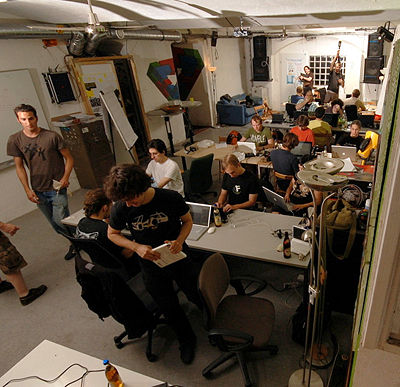
For the launch of the N9 (yes, we are one of the countries in which the N9 will be officially available, and at least 3 of 4 operators will offer it with a contract), Nokia Austria is organizing a N9 Hackathon around the N9 on the second weekend of October (2011-10-08 + 2011-10-09) in Vienna. If you live in or around Austria, or wanted to have an excuse for coming to this nice place from abroad for some serious coding, this might be a good opportunity to meet some fellow Maemo/MeeGo community members and get some hacking done. We plan to have some hardware like NFC tags to develop cool stuff with the N9's hardware, so don't forget to bring your creativity as well as skills ;)

Accomodation and food/drinks at the Hackathon will be provided by Nokia Austria, but accomodation places are limited, so please get in touch if you are interested in coming, so I can make a list of people who plan to come, and can keep you up to date on the event. Bonus points if you want to demo and/or talk about one of your apps that you have already written (or are in the process of writing), but interested developers new to Maemo/MeeGo are also very welcome! :)
Accomodation and food/drinks at the Hackathon will be provided by Nokia Austria, but accomodation places are limited, so please get in touch if you are interested in coming, so I can make a list of people who plan to come, and can keep you up to date on the event. Bonus points if you want to demo and/or talk about one of your apps that you have already written (or are in the process of writing), but interested developers new to Maemo/MeeGo are also very welcome! :)
Sunday, February 20, 2011
gPodder 2.13 in Extras-Testing (and in Extras for Diablo)
A new version of gPodder, a podcast downloader for Maemo 4 and Maemo 5 has been released. The new release is already available in Extras for Maemo 4 (i.e. N800 and N810), and is currently in Extras-Testing for Maemo 5 (please test and vote!). You can read the official announcement on the gPodder blog, or go directly to the detailed ChangeLog. This release fixes some issues reported by our users, improves the episode list on Maemo 5 and adds the often-requested "Download only when on Wi-Fi" feature:

This release does not yet contain the QML UI, as it is not ready and/or feature-complete yet, and the QML development happens on another branch ("tres" in the Git repo) that contains more under-the-hood changes that cleans up the gPodder codebase. The QML UI will be released "when it's done" :)
Tuesday, February 15, 2011
Community SSU features to look forward to
I've been writing some patches for hildon-desktop (the window manager on Maemo 5). For some of the more useful ones, I've reworked them to be configurable via transitions.ini (and disabled by default), so they can be merged into the Community SSU. Most of these patches try to improve the user experience and look and feel of the Maemo 5 UI, but tastes differ, so you can choose which one to enable:
In other news, the Community SSU version of H-A-M (that's the Application Manager in Maemo 5) now supports portrait mode, and this might also be merged at some point (it already works with the "Forced auto-rotation" patch, there are just some graphical glitches in the main screen that are fixed by the patch). Anybody up for some HTML hacking to make Maps portrait-aware? Should be easy to do, but I won't work on that one. Contributions welcome :)
- Blurless desaturation: With this feature enabled, the background of dialogs, menus, the launcher and the switcher won't get all blurry - instead, they keep their sharpness, but are darkened and desaturated. (thread with screenshots)
- Bigger task switcher: I think this is one of my earliest patches, now cleaned up to be configurable with different settings. You can choose between the Maemo 5 default layout, the single-column "big" task switcher and the two-column task switcher. I've left the horizontal task switcher out of this, as it wasn't working that well in some situations. (thread with screenshots)
- Rotation around the Z axis: This one makes the screen rotation look much more natural, just like on the MeeGo Handset UX. Instead of rotating around the X and Y axis, this makes the transitions from/to portrait mode rotate around the Z axis. (demo video)
- Forced auto-rotation for all apps: By default, hildon-desktop obeys the preferences of application windows and whether or not they support portrait mode. With this option enabled, hildon-desktop ignores those preferences and instead assumes every application can be auto-rotated. There's no support for the home screen, launcher or switcher, as these things are more complicated to support in portrait mode. (demo video)
In other news, the Community SSU version of H-A-M (that's the Application Manager in Maemo 5) now supports portrait mode, and this might also be merged at some point (it already works with the "Forced auto-rotation" patch, there are just some graphical glitches in the main screen that are fixed by the patch). Anybody up for some HTML hacking to make Maps portrait-aware? Should be easy to do, but I won't work on that one. Contributions welcome :)
Wednesday, December 29, 2010
qw 0.1 is now available for Maemo 5

My second new game this year - qw - has been released for Maemo 5 today. Version 0.1 (a tech demo, not a proper final release) gives you a sneak peek on the gameplay with 9 different levels and four-player support (if you hook up an external USB keyboard or get together really close for some N900 keyboard multiplayer action). The gameplay is simple: You need to control your player cursor (either via touchscreen gestures or keyboard) and enclose areas of the game with lines in order to fill them with a colored image. Beware of the enemies, as they will destroy your lines and split your points in half. If you enclose one or more small enemies, your points are multiplied.
A .deb for Maemo 5 is available from the qw homepage and packages for Symbian are also available. Try it out and send some feedback :) Enjoy!
Wednesday, December 22, 2010
That Rabbit Game 1.2 is now available for Maemo 5

I've blogged about it already, and even showed some code during an Interview at Nokia World, but there have not been any releases of That Rabbit Game so far, mostly due to Ovi Store QA not understanding what Optification means and requesting that the version number of the application appears somewhere in the app UI (after 15 days in QA). I've made the requested changes, added scoring and pushed new releases (of version 1.2) for both Symbian and Maemo 5 to Ovi QA.
Until the game gets published on Ovi, I decided to release packages on the website so you can download and enjoy the game right away - and maybe even provide some feedback. Please don't mirror/redistribute the packages, but link directly to the website. Download That Rabbit Game for Maemo 5!
Controls are via accelerometer (to tilt the rabbit head left/right) and via touchscreen (tap to flap your wings - the longer you tap, the harder the wings flap). The goal is to lose 10 coins in 90 seconds by getting shot 10 times. After that, the next goal is to lose the 10 coins in as little time as possible. Yes, you control the rabbit head, and not the crosshairs.
Updates and changes will be announced via @thatrabbitgame on Twitter, so follow it and tell your friends. Enjoy!
Sunday, December 19, 2010
gPodder 2.11 in Extras-Testing fixes YouTube downloads
A new version of gPodder is out. If you are having problems with YouTube downloads recently, this release is for you. There are also some other minor changes and fixes (detailed changelog for gPodder 2.11). No translation updates or major new features, though. Grab the new package from Extras-Testing. The usual disclaimers apply. If you can, please test and vote for gPodder 2.11-1 in Extras-Testing, so other users can enjoy the fixes as soon as possible.
As always, a new Diablo package has also been uploaded and should be available in Diablo Extras for all N8x0 users soon.
Monday, November 29, 2010
gPodder 2.10 for Maemo 4 and Maemo 5 released
As promised last week, a new release of gPodder is out. The package for Maemo 5 is already in Extras-Testing, so test it and vote for it. The package for Maemo 4 has already been uploaded to the autobuilder and should be available shortly.
This new release brings yet another round of UI improvements, and it also incorporates the feedback that I got at the MeeGo Conference:
- Expose "Pause subscription" in UI
- Multi-delete in episode lists (Maemo bug 5182)
- Setting for episode auto-delete on startup
- Custom episode list model (faster loading)
You can find a detailed ChangeLog at gpodder.org/changelog/2.10.

If you are not yet a user of gPodder, why not take the opportunity to try it out? You could subscribe to the MeeGo Conference 2010 Video Podcast (Yahoo Pipe) and (re-)watch the sessions on your device. Of course, audio and video podcasts are supported as well, as are YouTube user channels and Soundcloud users.
Tuesday, November 2, 2010
MaePadWeb 2.0: Take your MaePad anywhere (even on a N8)
The companion app to MaePad that has been announced some days ago is now available in Extras-Devel for your N900, with some nifty features:
- Fully edit the checklists in your database
- Native Maemo 5 look and feel in the browser (title bar, toolbar, lists, ...)
- Dynamic themeing based on current Maemo theme
- Per-session password for some security (inspired by MAD Developer)

This means that if you are using the NSeries theme, it looks like this, but if you are using Digital Nature, this is how it looks (and that should work for all themes). On your device, you will see a simple info window. Now, that's bringing the Maemo 5 UI to your Desktop computer's web browser. But does it work on mobile devices as well? Of course! Let me present you MaePadWeb running in the Symbian web browser on a N8-00:

If you think that this looks shopped, check out the video for further proof and to see the checklist editor view in action :)
This project brings together some great technologies: Python (for the backend) and HTML/CSS and JavaScript (using JQuery for convenience) for the frontend. Apart from the artwork, it does not depend on anything from Maemo 5/Hildon that isn't available in MeeGo already. In fact, Python with SQLite3 support is the only real dependency of this app on the backend side. With all the confusion on what to use for MeeGo Handset UIs (MeeGo Touch Framework, QWidget-based Qt, QWidget inside QGraphicsView, QML, Qt Components, ...), the HTML/CSS/JavaScript combo seems like a good cross-platform alternative (you still have to run the backend somewhere, but it can run on the same device, of course). All you need is a good browser/JS engine/rendering engine combo (Fennec/QtWebKit on MeeGo Handset, MicroB on Maemo). This also works on the N8x0 with MicroB :)
Saturday, June 12, 2010
Fine-grained playback status in gPodder and Panucci
I've just uploaded Panucci 0.9-alpha0 to Maemo 5 Extras-Devel. This package is the first one based on the new codebase, which includes support for sending fine-grained playback status messages to gPodder and also receive metadata about episodes from gPodder. This makes listening to podcasts and managing your listening queue even more comfortable. The following screenshots are from development versions of gPodder, but you'll soon be able to enjoy these new features with the upcoming release. Until then: Please test Panucci 0.9-alpha0 in Extras-Devel (I won't be promoting this package to -Testing yet, but report bugs against it if you try it from -Devel), so we can fix any outstanding bugs until the first final release.
So, what's working so far? gPodder gained the display of the current position and total time in the episode actions dialog:

This position information is automatically sent from the newer Panucci version (so it depends on you using Panucci for playing podcasts). Another cool side-effect is that this information will be synchronized with gpodder.net if you are logged in and have enabled synchronization, so you can finally start playing back episodes on your computer, and then pick up where you left on your mobile phone on the go. You can also view a detailed overview of what parts of an episode are played on gpodder.net:

This is really an important feature milestone for gPodder (and Panucci), and it's nice to finally have playback status and episode duration information inside gPodder. Expect a new gPodder release soon, released together with the new version of Panucci (due to the branching history of Panucci, there are some feature regressions, like missing display orientation controls, but these will be re-added in the next few weeks as we move along).
Monday, May 17, 2010
U-Bahn, Keyboard Repeat Switcher and an updated RaeMote
The last three days can be described as one of the more productive weekends - at least in terms of app count. Two new mini-apps have been uploaded to Maemo Extras: U-Bahn, a scrolling subway plan for Vienna and the Keyboard Repeat Switcher widget. While the former might only be of interest to Viennese locals and the occasional tourist, the latter is really useful when you do more serious work in X Terminal and want your hardware keys to have the "repeat" functionality in the yet-to-be-released PR1.2 firmware update. If you have PR1.2, please try them out and vote for these new packages.
And last but not least: a new version of RaeMote has been released, which adds missing dependencies to the packaging information and also changes the display name of the package to be shorter and searchable. RaeMote is still not in Extras, so your votes are again very welcome on this one.
Coming up: A new version of gPodder is already in the works, bringing you lots of bug fixes and UI refinements that we introduced during the last weeks. Some progress is also being made on getting the new version of Panucci ready, which will bring play position syncing when used in conjunction with gPodder and gpodder.net.
Wednesday, April 21, 2010
New versions of gPodder and Brain Party out
The news are a bit slow these days, because the summer term really took off after the easter holidays, and the free time for coding has decreased accordingly. Nevertheless: Some updates have hit Maemo Extras-Testing yesterday.
gPodder 2.5 "Knock knock knock Penny" was released and with it another Maemo 5 package rolls into the Extras repository (the Diablo package for Maemo 4 has also been uploaded and promoted to Extras already). Apart from some string changes ("Settings" instead of "Preferences", for example) that we found during the first UX-Week, this version fixes YouTube video downloads - the downloaded files now get a suitable extension (a bug that was introduced by YouTube changing their website a few weeks ago). Another nice feature for those of you with a fast Internet connection: YouTube video streaming. You can now chose to stream subscribed YouTube videos instead of downloading them if you prefer that. Review it and vote for gPodder 2.5-1 here
In gaming news, Paul Hudson (aka Hudzilla) has fixed some bugs in the code of his Brain Party game, and I've now uploaded a new version of the Maemo port for this game. The development repository of Brain Party has now also been opened over at Launchpad: Brain Party on Launchpad, and Paul promised to merge the Maemo patches upstream as soon as I send them to him, which I'll do today :) Review it and vote for Brain Party 0.5.91-1 here
One and a half week ago, we started the "UX Week" sprints in the Forums, focusing on one aspect of third-party applications for Maemo per week. This week, we're focusing on icons, so if you are an artist of want to help out as user or if you are a developer in need for some well-balanced icons, please get in touch in the forums and on the Wiki. And if you don't want to be productive at all, just stop by and look at the great artwork the artists have come up with so far already.
Monday, March 29, 2010
App updates: gPodder 2.4 and MaePad 1.5
This week, it's once again time to update two of the more prominent apps in my collection: gPodder 2.4 "The Pants Alternative" for both Diablo and Fremantle and MaePad 1.5 "Productive" for Fremantle.
With the installation of PR1.2 on the autobuilder, MaePad can once again be built on it, so I've resumed uploading of MaePad releases to Maemo.org.
So, what's in it for you? Let's start with gPodder:
- Progress bar for loading episodes (and optimized episode list loading)
- "All episodes" view is not grouped per-podcast anymore (all episodes are now sorted descending by date)
- Faster download resuming on application start (with progress dialog)
- Automatic clean-up of finished downloads
- Simplified layout of progress indicator dialogs (e.g. deleting episodes, unsubscribing from podcasts)
And now for your favourite productivity tool, the MaePad:
- "w" in the checklist/sketch view now saves the database
- Fullscreen mode of checklists uses portrait mode (for shopping use, etc..)
- Node type displayed in overview (there's a themeing issue here with the highlights and the secondary text color.. suggestions welcome)
Now it's your turn: Please test the new packages and then vote for the packages here: MaePad QA page and gPodder QA page. Any bugs that you will find should be reported here: new bug against gPodder and MæPad t.m.o thread.
The PR1.2 SDK on the autobuilder adds a dependency on a newer Hildon version that cannot be fulfilled in earlier firmware versions, so I'll build a package compatible with pre-PR1.2 firmware soon and publish the package on the MaePad homepage for manual installation during this transition period until PR1.2 becomes available for end users.
Friday, February 19, 2010
Want MæPad 1.2? Vote for bug 9070!
MæPad 1.2 is out now, and includes (apart from bugfixes and usability fixes) some cool new features such as word wrapping, mass-removal of all checked items and the often requested "share your sketches" feature that allows you to upload sketches to Flickr or send via E-Mail or Bluetooth.
Sadly, the "share your sketches" feature makes MæPad build-depend on the "sharing-dialog-dev" package, which is not available in the auto-builder. Anyway, with MæPad 1.2 you can upload useful or even pointless sketches directly to hosting services:

If you want to get MæPad 1.2 into Maemo Extras, please vote for bug 9070. Alternatively, you can grab the armel .deb for MæPad 1.2 from the MæPad website.
In other news, the MæPad Git repository and MæPad on Transifex are now online, so if you want to contribute code or translations, please feel encouraged do so (send me your Transifex username, so I can add you to the MæPad project there to allow uploads).
Subscribe to:
Posts (Atom)
